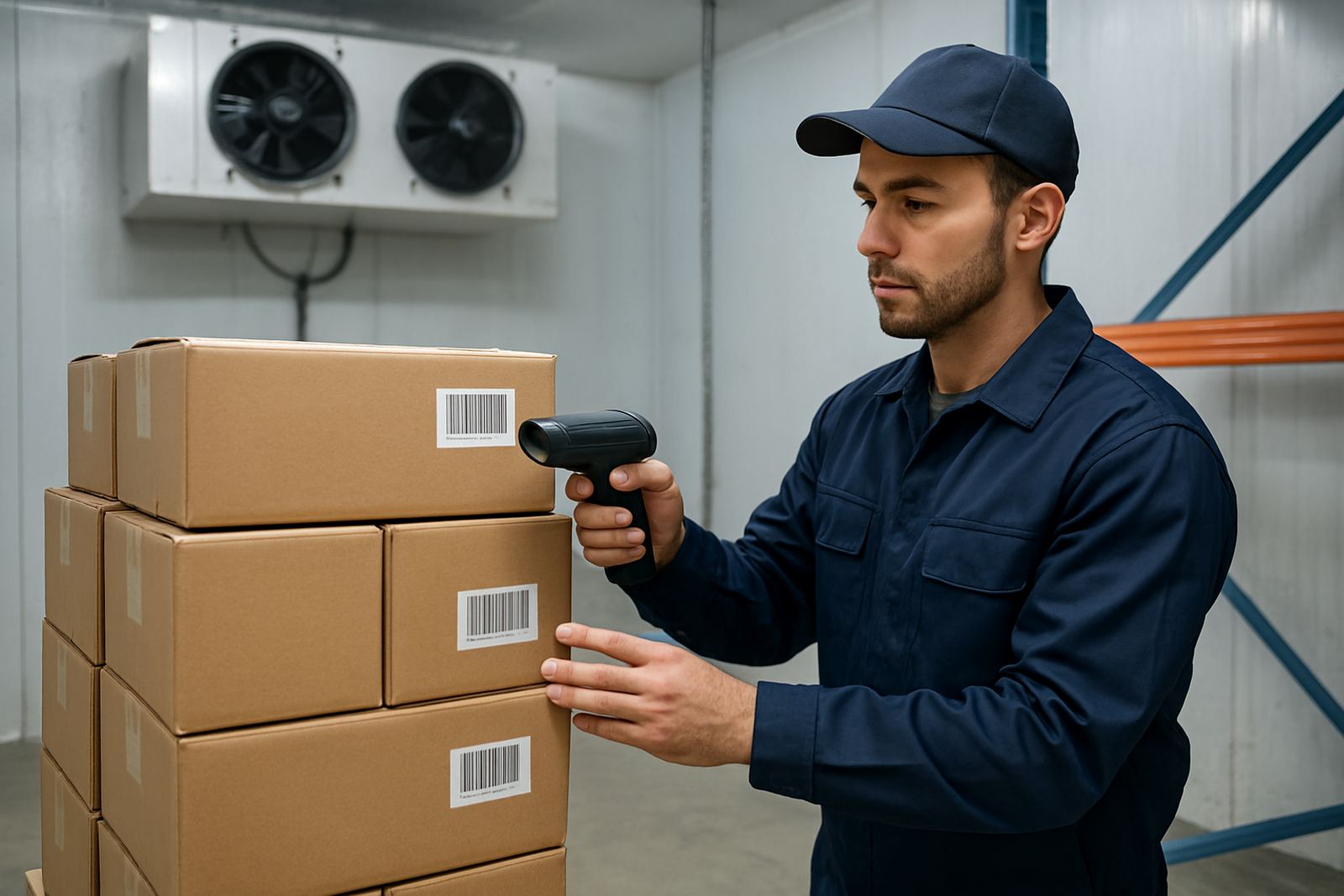


What Batch Traceability Does in Day to Day Operations
Batch traceability records where each batch came from, how it was used, and where it went next. For a business in Johannesburg, Pretoria or Durban this can mean linking supplier batches to stock issues, production runs, invoice lines and customer deliveries without working through spreadsheets or paper files.
In practice, the system captures batch number, lot number, expiry date, supplier reference, receipt date and movement history. When a customer calls about a problem item, you can trace it back within minutes instead of searching bins, GRNs and WhatsApp messages. That helps with quality control, complaint handling and compliance work, especially where product recalls or municipal checks may require clear records.
- Track inward stock, work-in-progress and finished goods by batch or lot
- Link batch numbers to purchase orders, delivery notes and sales orders
- See which customer received which lot and when it left your site
- Flag expired, quarantined or recalled stock before it is issued
Where Batch Traceability Suits South African SMEs
This setup suits food processing, chemicals, packaging, medical supply, manufacturing, agriculture and any business that must prove stock origin or expiry. It is also useful for wholesalers handling high-volume items where one pallet may contain multiple lots. In coastal towns like Cape Town and Gqeberha, humidity and storage conditions can affect stock quality, so batch-level control becomes more than a nice-to-have.
Many smaller firms start with basic stock control and then run into trouble when customers ask for proof of origin, certificate references or expiry data. A batch traceability module gives you that detail from the start. It also helps if your operation works across branches in Centurion, the East Rand or the West Rand and stock moves between sites on different days, with different staff handling the handover.
- Food and beverage producers needing expiry and recall control
- Distributors handling regulated or serialised goods
- Light manufacturers with rework, blending or repackaging steps
- Importers and wholesalers who need supplier and receipt traceability
Core Features and Typical Configuration Options
Batch traceability is usually configured inside your ERP and stock workflows, so it works with your purchasing, warehousing, production and sales processes. Common options include batch number creation rules, expiry tracking, first-expiry-first-out handling, quarantine status and batch transfer between sites. Some businesses prefer strict auto-numbering, while others want to keep supplier batch references as they arrive.
For reporting, you can pull batch movement by date range, item code, supplier, warehouse, customer or production order. You can also set alerts for slow-moving stock, nearing expiry dates or batch discrepancies. If your team needs cleaner approvals, the system can route exceptions for review before stock is released. It keeps the process simple, but still gives management enough detail to act fast.
- Batch or lot numbering rules, manual or automatic
- Expiry date, shelf-life and quarantine controls
- Full movement history across warehouses and branches
- Custom reports for audits, recalls and quality checks
Installation, Data Setup and Power or Connectivity Needs
Batch traceability is normally set up as part of your ERP implementation or integration project. The first step is mapping your stock codes, batch fields and document flow so the system matches how your business already works. If you have multiple branches in Pretoria, Durban or Cape Town, the setup must also reflect inter-branch transfers, receiving points and approval lines. That avoids confusion later on when stock lands at the wrong store room or is issued from the wrong batch.
From a technical side, the software does not need special gas or mechanical installation. It does need reliable computers, a stable network and power protection for your server, routers and scanning devices. In South Africa, load-shedding and poor connectivity can interrupt receiving and despatch, so most firms benefit from UPS backup and sensible offline procedures. If you use barcode scanners, label printers or handheld devices, those should be tested during setup so the labels match your stock rules from day one.
Care, Servicing and Ongoing Support
Good batch traceability depends on tidy data and disciplined user habits. Staff should capture batches at receipt, issue, production and dispatch, not only when a problem comes up. If people skip steps, the trace history becomes incomplete and the reports lose value. That is why training and adoption matter just as much as the software itself.
Ongoing support usually includes user help, report changes, system audits and upgrade planning. Businesses often ask for a monthly support retainer so they can fix process issues before they turn into stock losses. Data should also be reviewed after stock counts, supplier changes or warehouse moves. A short monthly audit can catch duplicate lot numbers, missed transfers or items sitting in quarantine longer than intended.
- Review batch fields after every process change or new product line
- Run stock reconciliations against physical counts and warehouse records
- Check expiry and recall reports at least once a month
- Train new staff before they handle live stock transactions
What to Check Before You Order
Before ordering a batch traceability solution, decide exactly how deep you need the trace trail to go. Some businesses only need receipt to dispatch tracking, while others need raw materials, production stages, rework and finished goods all connected. You should also confirm whether you need batch control by warehouse, branch or project, and whether customers require printed batch details on delivery paperwork. Small details matter here because changing them later can be time consuming and costly.
Ask how the system handles partial issues, returns, split lots and supplier claims. Check whether it can produce the reports your auditor, quality manager or customer expects without manual editing. It is also worth confirming user permissions, because not every person should be able to change batch numbers or close a recall case. If your operation spans Centurion, Johannesburg and Gqeberha, make sure the same rules apply across all sites so the team does not work from different versions of the truth.
- Batch depth: receipt only, or full production and dispatch traceability
- Report needs: audit, expiry, recall, customer and supplier views
- Site structure: single warehouse, multiple branches or mixed stock locations
- User controls: who may edit batches, approve exceptions or close incidents
Key facts
| Deployment | ERP module or integrated business system configuration |
|---|---|
| Trace level | Batch, lot, receipt, transfer, production and dispatch |
| Typical users | SMEs in manufacturing, wholesale, food, chemical and regulated supply |
| Infrastructure need | Networked PCs, printers, scanners and backup power for critical points |
| Reporting | Expiry, recall, movement, quarantine and audit reports |
| Support options | Implementation, training, audits, upgrades and monthly retainers |