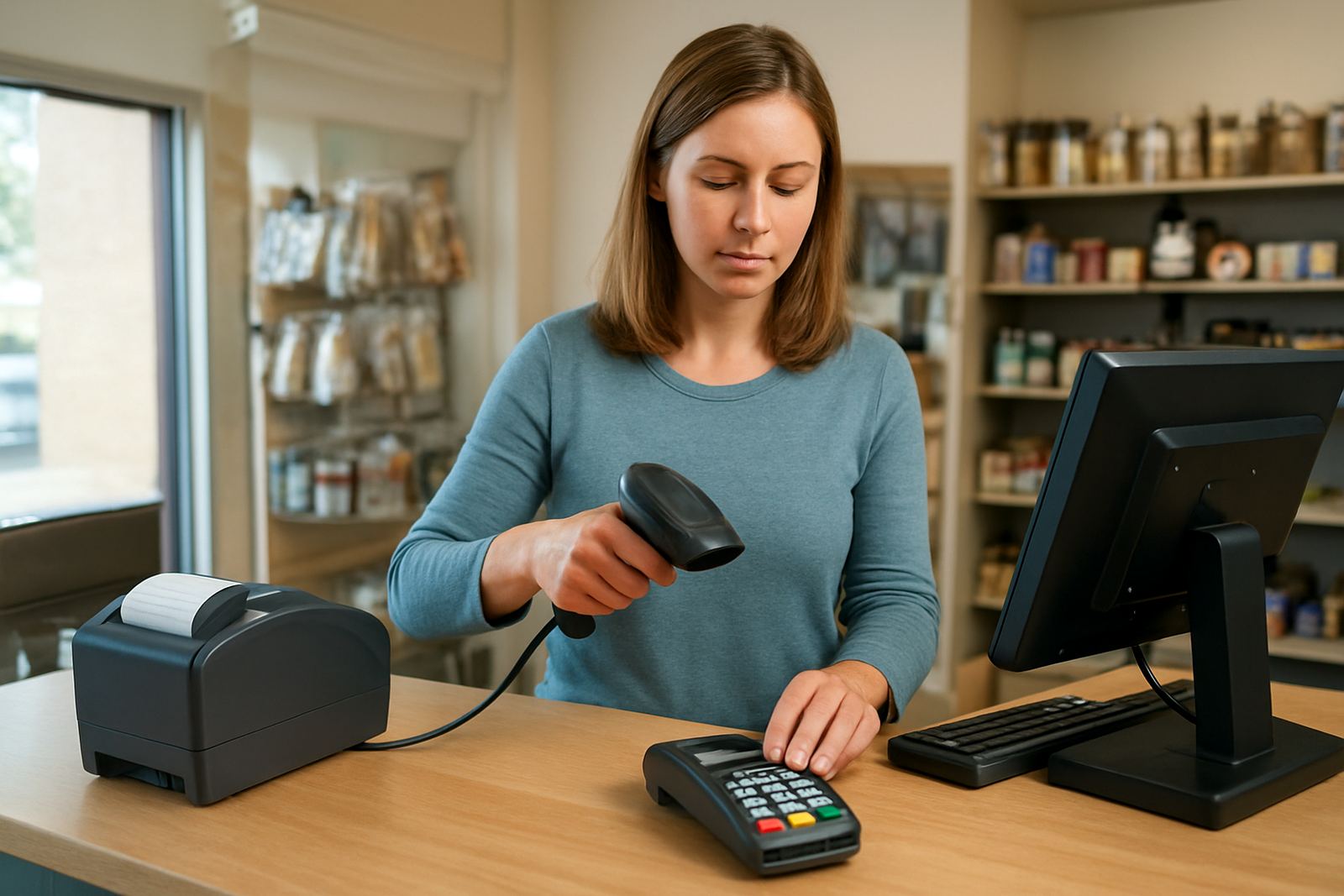


What a point of sale system does in day to day retail work
A point of sale system is the front counter point where a sale is captured, payment is recorded and the transaction is linked back to stock and customer data. For a small or medium business in South Africa, that means fewer manual stock counts, better control over price changes and a clearer view of what is selling by branch, shift or product line. It is useful in stores that trade in busy periods, work with promotions, or need proper records for VAT, returns and staff oversight.
Bizmatics provides point of sale setups as part of wider ERP and business-systems integration. That matters when your tills must speak to accounting, stock control, customer records and reporting without staff re-entering the same details in different places. A good setup should feel simple at the counter but still give management the detail needed for better decisions. In many businesses, especially where load-shedding and intermittent connectivity are part of daily operations, the front line must keep working without causing a mess later.
- Links sales to stock movements in real time or near real time
- Supports customer accounts, pricing rules and discounts
- Helps track cash-up, refunds and operator activity
- Makes branch reporting easier across Johannesburg, Pretoria, Durban, Cape Town and Gqeberha
Sizes and options that suit different trading counters
Point of sale systems are not one-size-fits-all. Some businesses need a single counter with one screen, printer and card terminal. Others need several tills, a back-office station and shared access to stock and reporting. We help businesses choose the setup that matches their floor space, transaction volume and management needs, whether the site is in Centurion, the East Rand or a coastal location where humidity and dust can affect hardware over time.
Common options include fixed counters, tablet-style setups, handheld devices for floor sales, and multi-branch configurations that share product records and pricing rules. The right choice depends on how customers move through the space, how many users will log in, and whether you need separate access for cashiers, supervisors and managers. If you run promotions, lay-byes or returns, those functions should be planned before go-live so the tills do not slow your team down.
- Single till for a compact retail counter
- Multi-till setup for busy stores and franchises
- Tablet or handheld option for mobile or queue-based sales
- Multi-branch structure with central pricing and stock control
Where a point of sale system works best
This kind of system suits retail shops, hardware suppliers, clothing stores, specialty food outlets, pharmacies, repair counters and service businesses that need accurate front-counter control. It is also useful in businesses with multiple stock lines, high staff turnover or branch operations where management wants one clear view of sales performance. If your team still relies on handwritten slips or separate spreadsheets for pricing and stock, the risk of errors rises quickly.
South African SMEs often need a point of sale setup that can handle practical realities like power interruptions, fluctuating internet access and municipal compliance for records and transactions. In some sectors, such as food or regulated goods, keeping a clean audit trail is not optional. The system should support controlled discounts, item-level tracking and clear user permissions so each sale can be traced properly. Small mistakes at the counter can become costly later if stock and financial records do not match.
- Retail stores with fast-moving stock
- Counter service businesses with repeat customers
- Multi-branch operators needing central oversight
- Sites that need proper audit trails and permissions
Installation, integration and power planning
Installing a point of sale system is not only about placing equipment on the counter. It needs proper configuration of items, tax rules, users, payment settings, stock links and reporting structures. Bizmatics handles implementation as part of a wider systems project, which means the point of sale can integrate with ERP, inventory, purchasing and financial reporting instead of living on its own. That gives management cleaner data and reduces double entry.
For South African sites, power planning is important. Many businesses need battery backup or UPS support for the till, printer, router and other essentials during load-shedding. Where internet downtime is a risk, it may also be wise to plan local working capability and sync processes after connection is restored. If your premises have municipal compliance requirements, landlord rules or specific cabling limits, these should be checked before installation starts so there are no delays. A neater install now saves a lot of headache later, trust me.
- Configuration of products, pricing and tax rules
- Integration with stock, finance and reporting systems
- UPS or backup power planning for critical devices
- Network and access checks for branches and head office
Care, servicing and daily control
Point of sale equipment works best when it is cared for like any other business tool. Screens need regular cleaning, printers need paper and ribbon checks where relevant, and cash drawers must be inspected for wear. Software side care is just as important. User permissions should be reviewed, item lists kept current and price changes monitored so staff are not selling old stock at the wrong price.
Support retainer arrangements can help businesses avoid long outages when a printer jams, a payment process fails or a user lockout blocks trading. For branch operations, it is also worth checking that all outlets are running the same product codes, supplier references and discount logic. Small differences between branches often create bigger problems during month-end. If the system is being used hard all day, plan regular servicing and review sessions rather than waiting for something to stop working.
- Clean equipment and check consumables weekly
- Review user access and cashier permissions monthly
- Test backups, syncs and receipt functions regularly
- Keep product, price and tax records aligned across branches
What to check before you order
Before placing an order, be clear on what the point of sale must do on the first day and what it needs to do six months later. Start with transaction volume, number of users, products sold, branch count and the level of reporting required. Then confirm whether the setup must integrate with accounting, inventory, customer records or ordering systems. If you sell promoted lines, bundle deals or items with serial numbers, those details must be included early.
It is also wise to confirm the physical environment. Check counter space, network points, power supply, printer placement and whether the team needs training on the new process. A point of sale project should not only install software, it should support people who have to use it under pressure. Bizmatics works with SMEs across Centurion, Johannesburg, Pretoria, Durban, Cape Town, Gqeberha, East Rand and West Rand, so the setup can be matched to the way your business actually operates.
- Number of tills, users and branches needed
- Required integrations with stock, finance or CRM records
- Support for returns, discounts, lay-byes or serial tracking
- Training needs and go-live support after installation
Key facts
| Type | Retail point of sale system linked to ERP and business systems |
|---|---|
| Typical use | Front-counter sales, stock updates and customer record capture |
| User setup | Single user, multi-user or multi-branch configurations |
| Integration | Pricing, stock, accounting, customer data and reporting |
| Power needs | Main device plus UPS or backup power for load-shedding |
| Support | Installation, training, go-live support and ongoing retainers |